Run A Farm Multiplayer & Friends
Join friends on 6-player servers, grow farms side by side, and climb leaderboards without blocking each other.
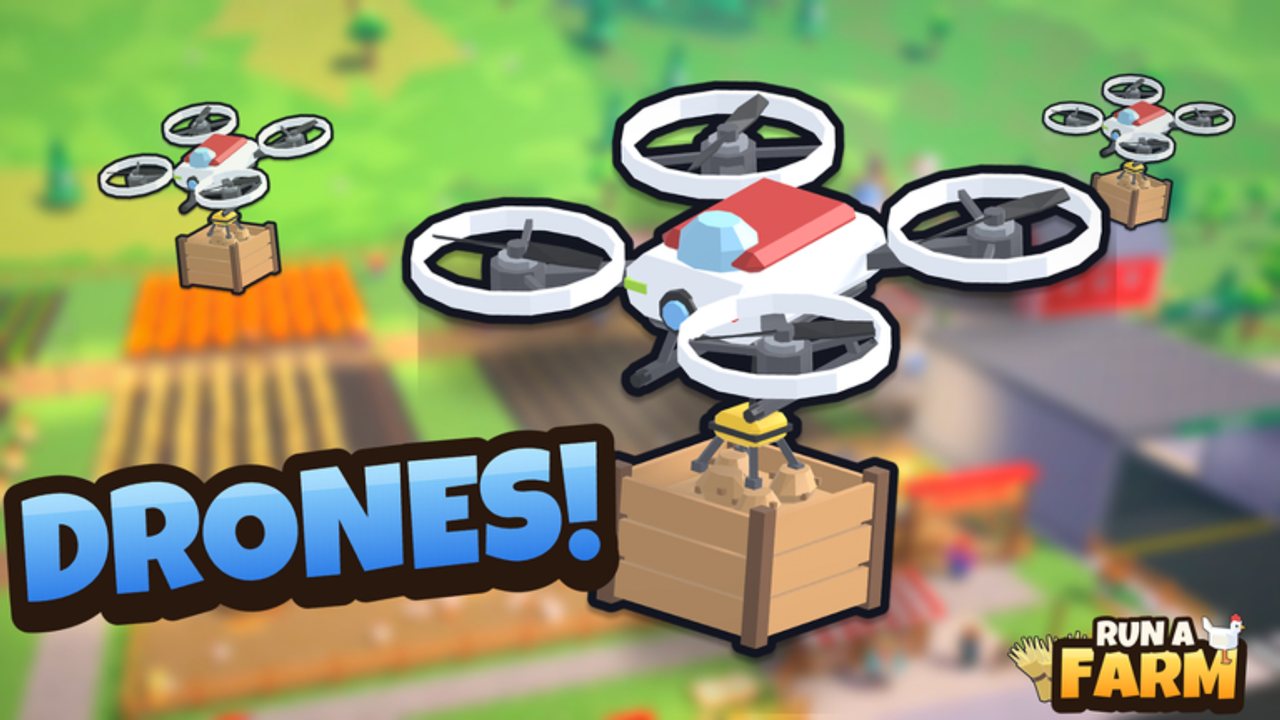
Run A Farm is built for short, social Roblox sessions as much as solo grinding. Farm CStudios caps each server at six players, and every participant runs their own farm plot side by side instead of sharing one plot inventory. That design keeps competition friendly: you can show off a maxed coop, trade tips in chat, and race stand sales without deleting someone else’s sprinklers. This Players Hub explains how to join friends, how shared sessions feel in practice, what leaderboards reward, and how to stay productive when five other farms are buzzing around you.
If you are brand new, skim Getting Started first so egg collection, the RELEASE code, and Field 1 unlocks are already muscle memory. Then use the broader Guides Hub for money, workers, crops, and vehicles, and watch the Updates Hub when patches (including the NEW ANIMALS update on Nov 14 2026) change what friends will be talking about on join.
How to play with friends
- Add friends on Roblox (or use an existing friends list).
- Launch Run A Farm from the Roblox experience page or your continue list.
- Use Roblox’s Join / friends server flow so you land on the same instance—remember the hard cap is six players per server.
- If the friend’s server is full, wait for a slot, join a quieter server and invite them, or form a private-friend group hop until you land together.
- Once loaded, you each spawn into your own farm. There is no shared bank: your eggs, cash, workers, and vehicles stay on your plot.
Because farms sit next to each other, voice or chat callouts work well—“Seed Market unlocked,” “Stocker hired,” “mine is open”—without needing party loot rules. You can still help by explaining menus, pointing at pads, or racing who redeems codes first, but you cannot spend another player’s 500 cash from RELEASE for them.
Side-by-side farms, not one shared tycoon
Many Roblox tycoons give everyone a lane that only they can buy. Run A Farm follows that spirit: each player operates an independent farm in the same world instance. Practical consequences:
- Progress is personal. Your Field 1 ($120), Sprinklers ($120), Farm Office ($500), Storage ($800), and Garage ($1200) purchases only unlock on your plot.
- Workers are personal. Stocker, Planter, Farmhand, and Tractor Driver hires stay on your Farm Office roster.
- Traffic is shared. Paths to town drop-offs, egg truck timing, and mine entrances can feel busy when six farms peak at once—plan routes so you are not all blocking the same choke point.
- Spectacle is shared. Friends will see your hens, fields, vehicles, and later animal content after the NEW ANIMALS update, which makes cosmetic timing and tidy layouts part of the social fun even though cosmetics stay C-tier for income.
Treat a full server like a friendly trade show: glance at stronger neighbors for build inspiration, then copy the order of upgrades—not by stealing items, but by following the same priority logic as the tier list.
Leaderboards and why they matter
Run A Farm surfaces leaderboards so servers and friends can compare farm performance. Exact board categories can shift with patches, but the social loop is stable:
- Leaderboards reward consistent income systems (eggs, crops, mine) more than one lucky sale.
- Climbing with friends is more fun when everyone redeemed RELEASE early and avoided wasting cash on luxury pads before Stockers.
- Use boards as a diagnostic: if you are last among friends, check hens, Field 1 + sprinklers, and whether Farm Office automation is online before blaming the mine.
Do not confuse leaderboard flex with healthy spending. A player who bought every cosmetic and sits below a friend with a Stocker, Planter, and watered Field 1 is winning the screenshot and losing the economy. Keep boards in mind, then spend with S-tier priorities.
Tips for smooth shared sessions
Stagger big purchases. When six players rush Garage or Tractor Barn at once, tutorials and pathing can feel chaotic. Call your next buy in chat so friends can watch and learn.
Teach the first ten minutes. New friends should: collect starter eggs, redeem RELEASE for 500 cash, unlock Seed Market ($50), push Field 1 + Sprinklers, then save toward Farm Office + Stocker. Point them at Getting Started instead of typing the whole list every time.
Split attention between surface and mine. On a busy server, agree who is experimenting with mining first so you can share route tips without everyone abandoning egg stands simultaneously.
Respect plot space. Do not stand in a friend’s buy pads, block their vehicle path, or AFK in doorways. Six-player maps stay fun when movement etiquette is good.
Share patch knowledge, not spoilers only. When Updates land—especially animal features—summarize what changed for friends who just joined after school or work.
Keep codes bookmarked. The Codes Hub is the fastest way to confirm RELEASE is still live before a group session starts.
Use guides during downtime. If you are waiting on crop timers or a friend to finish hiring, open Guides and align your next unlock so the group’s power curve stays close enough for playful rivalry.
Session ideas for friend groups
- Egg rush night: Everyone dumps time into hens and egg price upgrades, then compares stand totals.
- Crop sync: All six unlock Field 1 and sprinklers, then race Planter hires.
- Office unlock party: Pool knowledge (not cash) to get every friend to Farm Office + Stocker in one evening.
- Mine scout: Two players open mining while others keep surface income stable, then rotate.
- Leaderboard ladder: Screenshot boards at the start and end of a one-hour session.
These formats work because farms are parallel. You are not waiting for a party roll; you are parallel-playing with commentary.
Solo players on public servers
You do not need a friends list to benefit from the Players Hub mindset. Public six-player servers still teach layouts, vehicle paths, and upgrade order by observation. Mute chat if needed, but keep an eye on high-performing plots—living examples beat dry checklists. If a server feels empty or full of AFK farms, hop instances until you find active neighbors.
Safety and expectations
Run A Farm is an unofficial-wiki topic here: always follow Roblox safety rules, do not share passwords, and treat paid offers or “free cash” links outside official codes as scams. This wiki’s codes page tracks legitimate redeemables such as RELEASE. Client scripts—if you explore that category—are a separate risk discussion; multiplayer trust goes down fast when someone is clearly using abusive tools on a shared server.
Where to go next
- New to the loop → Getting Started
- Spending priorities → Tier List Hub
- All how-tos → Guides Hub
- Patch notes & NEW ANIMALS → Updates Hub
- Promo cash → Codes Hub
Bring friends, keep farms tidy, hire Stockers before flex pads, and let leaderboards measure systems—not impulse buys. That is how six-player Run A Farm sessions stay competitive and welcoming at the same time.
Frequently Asked Questions
Quick answers to the most common questions.
How many players can join one Run A Farm server?
Servers cap at **6 players**. Join friends through Roblox’s friends/join flow; if a server is full, wait for a slot or switch instances together.
Do friends share one farm or cash?
No. Each player runs **their own farm side by side** with separate eggs, cash, workers, and vehicles. You can still give advice and race progress.
How do I start a session with friends fast?
Everyone should redeem RELEASE for 500 cash, follow Getting Started, then meet on the same 6-player server via Roblox join.
What are leaderboards for?
Leaderboards compare farm performance so friends and server mates can race income systems. Use them as motivation, but spend with the tier list priorities.
Any etiquette tips for full servers?
Stay off other players’ buy pads, avoid blocking vehicle paths, stagger big unlocks, and share patch notes from the Updates Hub when NEW ANIMALS or other drops land.